Beginner – Advanced – Advanced – Experimental
Getting started: use infrared obstacle avoidance sensor, buzzer and RGB light to design a window anti-theft system. When a suspicious person comes in, it will automatically call the police.
Advanced: None
High level: None
Experiment: None
1.Teaching objectives (knowledge preparation)
Know the buzzer and its working principle and parameter range.
Through programming, the switch sensor can be used to switch the window anti-theft system, and the buzzer and RGB light can be combined with the infrared sensor.
Be able to apply project equipment in combination with life application scenarios.
2.Teaching tasks
A window anti-theft system is designed by using infrared sensor, buzzer and RGB lamp. When someone enters, it will alarm automatically.
3.Preparation of teaching environment and equipment
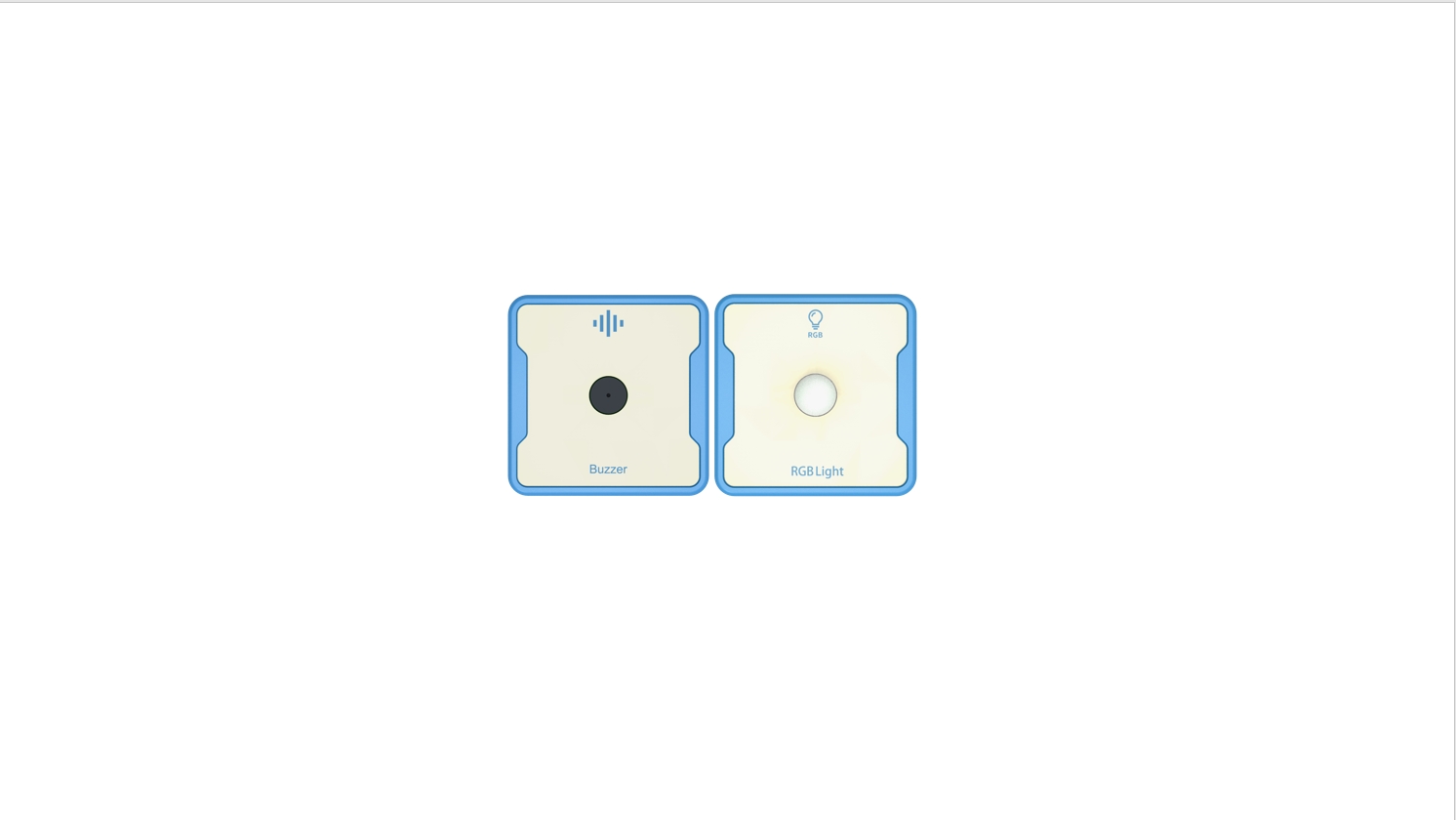
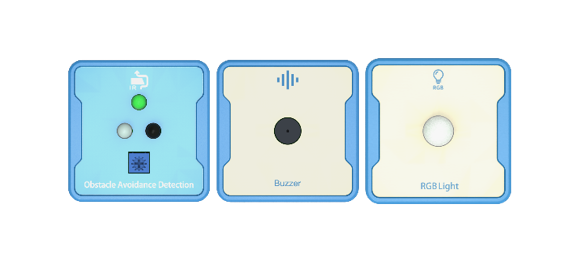
Equipment List: Image (with label number 123456)
Equipment Serial Number Table
| Serial number | number | equipment | Specifications | quantity |
| 1 | Obstacle Avoidance Detection | 1 | ||
| 2 | Buzzer | 1 | ||
| 3 | RGB Light | 1 | ||
Software: Smart Code programming software.
Hardware: SMART Code kit: Obstacle Avoidance Detection ,Buzzer ,RGB Light.
Other: Several building block devices.
Detailed List of Structural Components
| Serial number | number | equipment | Specifications | quantity |
| 1 | 3-hole beam | 18 | ||
| 2 | 7-hole beam | 6 | ||
| 3 | 13-hole beam | 6 | ||
| 4 | T-shaped beam | 6 | ||
| 5 | Black sales | 54 |
Note: Materials required to fix a set of sensors: 6 3-hole beams, 2 7-hole beams, 2 13 hole beams, 2 T-shaped beams, and 18 black pins.
4.Project Practice Process
(Summary of Knowledge Points: 1. Components. 2. Program Modules. 3. Program Design)
1.Project video (in video format)
2.Project Steps
1.Fix the infrared sensor, buzzer and RGB lamp according to the list of items.
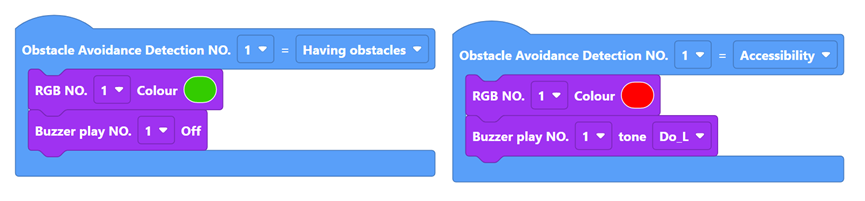
2.The infrared sensor aims at the window account, the RGB green light is always on in the normal state, and the buzzer does not work. When an obstacle comes in, the buzzer will alarm and the RGB red light will flash.
3.Use smart code programming software to complete the programming design.
First, complete the switch logic setting. The example code is as follows:
Then, combined with the detection value of the infrared obstacle avoidance sensor, when someone passes by, the buzzer works and the RGB light flashes red, otherwise the buzzer does not work and the RGB light is always on. The sample code is as follows:
Finally, complete all the codes. The example code is as follows:
4.Optimization and improvement plan.
5.Interesting thinking: if the switch sensor is removed, whether the program can be optimized..
3.Reflection and discussion:
Experimental results
Data records: Table 1 and Table 2
Experimental conclusion:
5.Extension and Expansion
Reflection and exploration:
Question 1:
Question 2: